Our cybersecurity platform now supports ✨ Dynamic Variables. This new functionality enhances the realism and effectiveness of phishing simulations by incorporating real, company-specific data into simulated phishing emails. By using Dynamic Variables, you can create highly personalized and convincing phishing simulations that better prepare your employees to recognize and respond to real-world phishing attempts.
What Are Dynamic Variables?
Dynamic Variables allow you to populate phishing simulation emails with random, company-specific data such as:
- Employee names
- Email addresses
- Job titles
- Admins’ Emails
- Admins’ Names
Instead of using generic placeholders like “John Smith” or “Acme Inc.,” Dynamic Variables pull random information from your users’ and admins’ data. This ensures that the simulations are tailored to your organization while maintaining privacy and compliance.
Key Benefits of Dynamic Variables
- Increased Realism: By using real employee names, job titles, and other company-specific details, phishing simulations become more believable and effective in training employees to identify phishing attempts.
- Enhanced Engagement: Personalized emails are more likely to capture employees’ attention, making the training experience more impactful.
- Improved Training Outcomes: Realistic simulations help employees better recognize phishing tactics, reducing the risk of falling victim to actual attacks.
- Controlled Data Usage: Only available upon administrator approval, ensuring that sensitive or inappropriate information is not included in simulations without your permission.
How Dynamic Variables Work
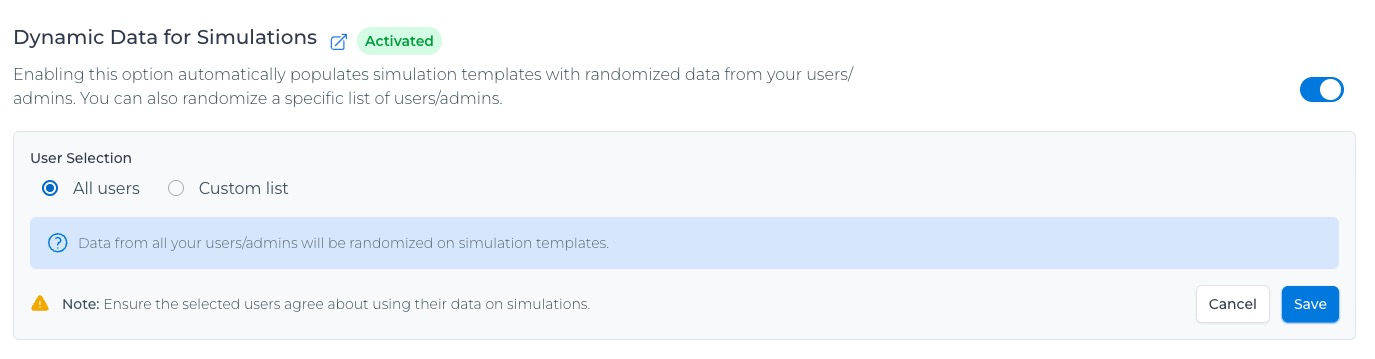
- Enable Feature: From the Company settings, enable the “Dynamic Data Variables” feature to make it available on your simulations.
- Choose Population: You can either randomize your entire roster or a specific list of users/admins.
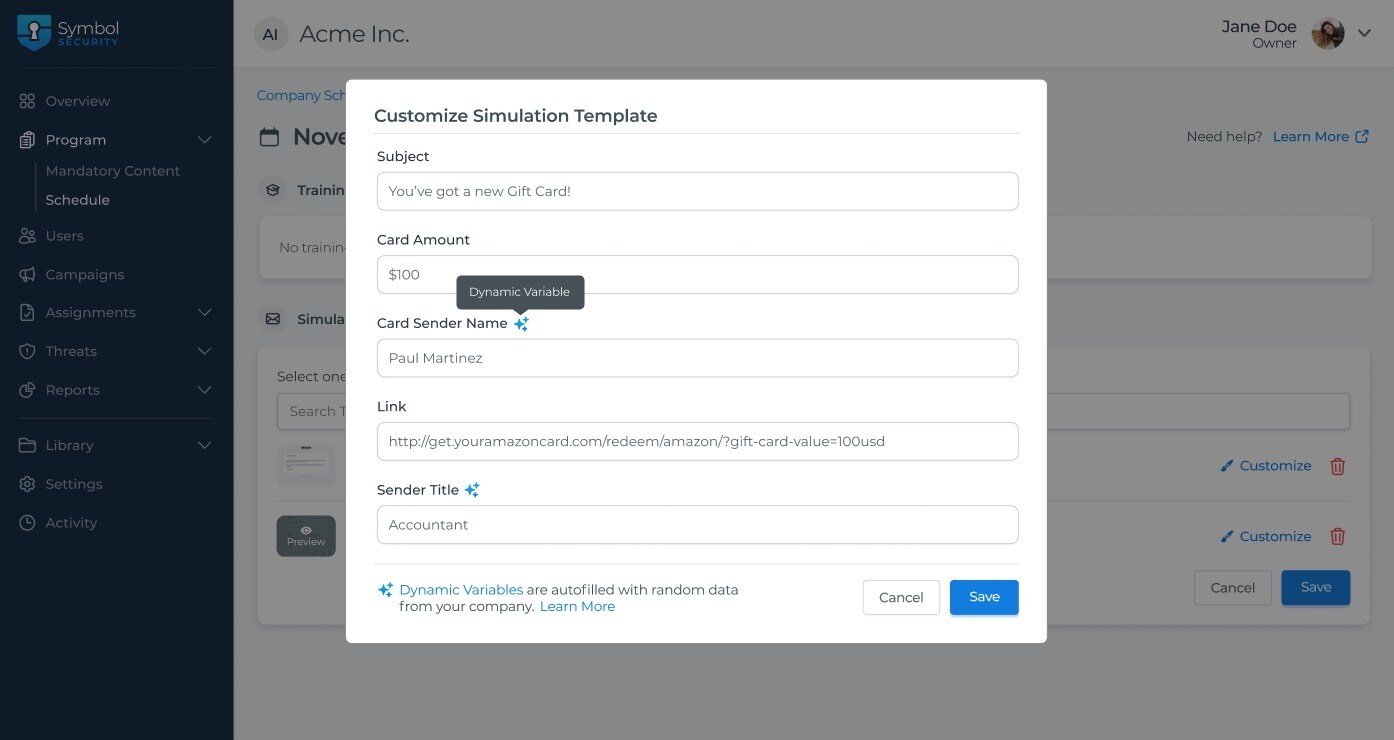
- Identify Dynamic Variables: When creating short or MSP/vCISO campaigns or programs, you can distinguish Dynamic Variables included in the simulation templates with a blue star icon located next to the variable name when customizing templates.
- Delivery: When sending the campaign emails, the system randomly selects data from your users’ list to fill in the variables, ensuring each email is unique and personalized.
Note: Recipients won’t receive templates including their own data. So if a single user/admin is added to the custom list, that recipient will receive randomly generated data.
Dynamic Variables, User Data, and Admin Responsibilities
Dynamic Variables represent a significant step forward in creating realistic and effective phishing simulations. With AI and other technologies, more phishing attacks are containing real company information. Therefore, by leveraging real, company-specific data in your own simulations, you can better train your employees to recognize and respond to phishing attacks and strengthen your organization’s cybersecurity posture.
Dynamic Variables will randomly select users’ data from your company roster and insert that data into your Phishing Simulations. Because the selection of User data is random, please ensure that your company is aware that ANY USER’s roster information (name, email, and title) may be used in a phishing simulation, and that this exposure of the User’s roster information in your company’s phishing simulations is authorized by your organization and its individuals.
This feature is versatile and can be used across all types of campaigns, including the Company Programs.
Data Privacy and Compliance
At Symbol Security, we understand the importance of data privacy and compliance. Therefore, all User Data is managed by Symbol in accordance with our Terms of Service located here: https://symbolsecurity.com/terms-and-conditions
If you have any questions or need assistance, please contact our support team. Stay tuned for updates as we continue to enhance this powerful feature!
Note: Always ensure that the data used in phishing simulations complies with your organization’s privacy policies and applicable regulations.